Editing folder properties
To edit the properties of a folder,
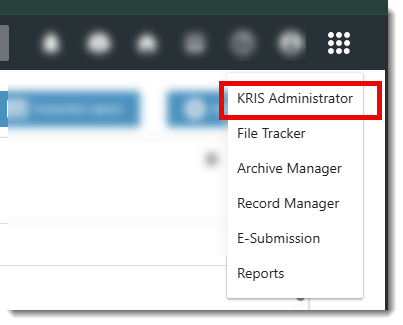
- Click on Module Switcher at the top bar and select KRIS Administrator module.
- Click on Manage Folder link under Manage Classification section.
- Click on Classification Tab for e.g. Subject.
- Click on > to expand the classification.
- Click on one of the folders in the tree view.
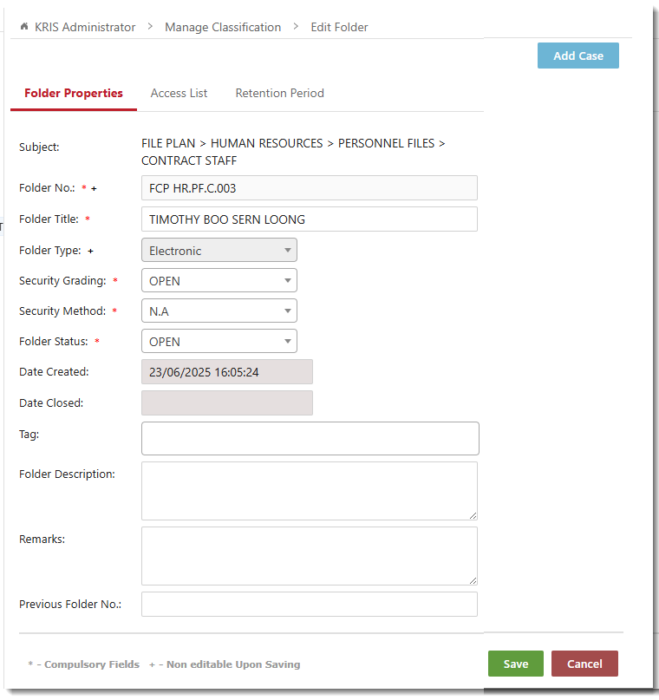
- Update the properties accordingly. If you have selected a higher security grading than the current one KRIS will regenerate the access list and remove the roles / group roles that do not meet the new security grading when you saved the changes.
- Click on Save button if you are done with editing otherwise click on the
- Access List tab to change the folder’ s Access List
- Retention Period to update the Retention Schedule and Disposal Actions.

- Click on the Save button to save the changes.
- Click on the OK button to close the Success Message window.
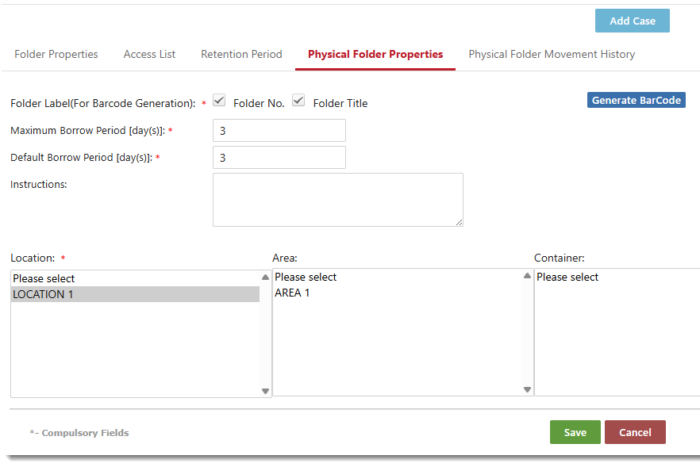
For the physical/hybrid folder, administrator can edit the physical folder properties by clicking on Physical Folder Properties tab.

In physical folder properties screen, administrator can edit the default and borrow period.